 This is originally a post I did back in 2008, which I have edited to tweak some of my original recommendations. This has become especially more important as sites like Facebook, Twitter, and online emails are becoming more the focus of online attacks.
Most companies and universities have password policies in place that enforce complexity requirements. But do you have a good policy you use for your personal accounts? You should create good strong passwords for any accounts you access – your email, Facebook, Twitter, eBay, online merchants, your personal finance file on your system, etc.
When creating your password, it should:
- Be at least 10 characters long, but be easy to remember (more on this in a second).
- Contain at least one capital letter, a digit, and a special character along with the lower case letters. Some web sites may not allow special characters (shame on them!!), so be creative with more digits (preferably) or capital letters.
- Not be built from a dictionary word or any name – including character substitution!! For example, password is obviously a BAD password, but P@ssw0rd is also a bad password. Another example here would be something like Und3rd0g! or T0m&J3rry (guess I’m in cartoon mode here). Hacking utilities would have these figured out in very little time.
- Not contain sequences, patterns, or repeated characters, for example 123, 111, qwerty, etc.
So I mentioned making your password at least 10 characters. I used to like to make them 8 characters exactly. Perhaps this is because of my past experience using UNIX systems, where the first 8 characters only were significant (standard UNIX at the time would ignore anything after 8 characters), but I also thought 8 characters would be easier for most to remember, although now I think 10 would be fairly easy, with time, to commit to memory. Once you get used to your new password, it will become second nature. What you don’t want is to have to write the password down and stick it to your monitor; it should be something you can commit to memory. If you must write it down initially, keep it in your wallet or someplace safe and not viewable, but DON’T write your username or what site or service it is for. Even then, only keep it long enough until you memorize, then shred it.
So given the rules, how to actually create a good password? Think of a phrase nine or ten words long, and then use the beginning of each word to make into your password, mixing up the capitals, symbols, and digits. If you use nine words, you can use punctuation as the last character. If you can easily remember a longer phrase and the password you create from it, certainly go for it. Some examples (don’t use these for yourself, though):
Phrase: I really found the Science Attic very useful today!
Password: Irft5@VuT!
Phrase: My new golden retriever Fido is the best dog ever
Password: MngrF1tBde
Phrase: Firefox and Chrome are great internet browsers everyone can use
Password: F&C@giB3cu
So you get the idea. And you can get really creative with this, so have a little fun with it. 🙂
There are password creators/managers, although I haven’t really evaluated any of them and I personally think the best password manager is the one between your ears. The idea is the same though – keeping your accounts that much more secure.
 I went and installed Ubuntu 9.04 (Jaunty Jackalope) onto my test system as a dual boot with Windows 7 Release Candidate, and so far so good. This was the same system I had installed OpenSUSE 11 on before and I went back and reviewed how I tweaked my desktop there and did very similar setup for the Ubuntu setup.
 I decided to give

 I know I’ve been very lax about science or tech posts of late, but as I’ve picked up a wireless mouse for my work laptop recently for use at home, I thought I would share some impressions of it. This is the
  I’ve just finished my first week at a new job. After almost 11 years at my previous employer, their cutbacks affected my position and I was laid off in early April. I interviewed with a few places pretty quickly, and luckily, I had my verbal offer for this job within two weeks of being out. I then only had to wait for the normal process stuff – background check, drug test, etc. So once I knew I had the job, I tried in the meantime to enjoy the downtime (as my good friend points out
 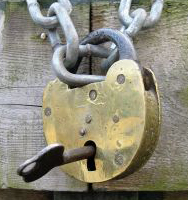 Most companies and universities have password policies in place that enforce complexity requirements. But do you have a good policy you use for your personal accounts? You should create good strong passwords for any accounts you access – your email, eBay, online merchants, your personal finance file on your system, etc.
 The Science Attic